
How to plan a conceptual exploded-view product video
Design clear product frames, limit the moving parts and review a conceptual exploded-view animation without implying engineering accuracy.
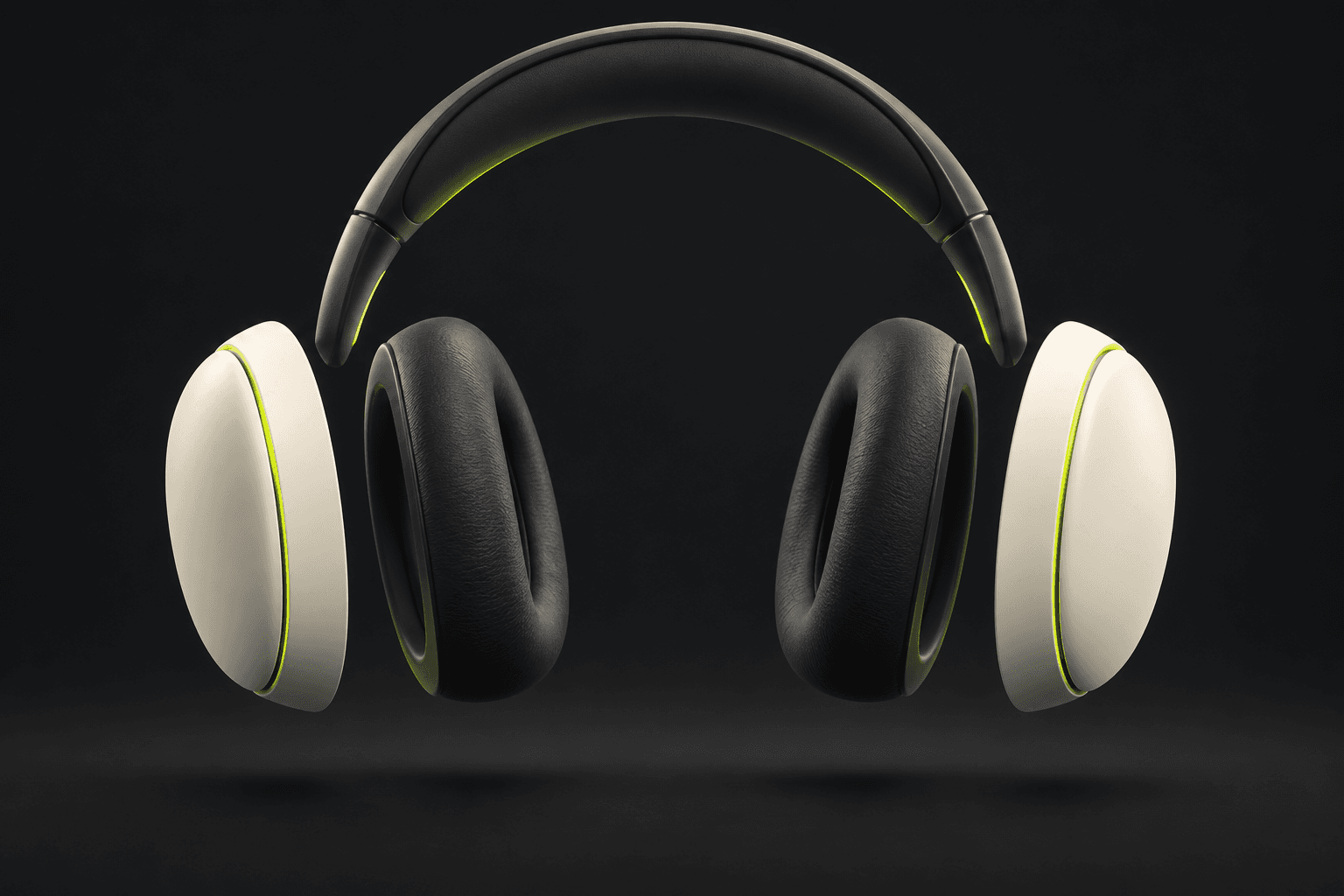
Decide what the exploded view is explaining
An exploded-view concept can draw attention to shape, materials or a layered design. Choose one of those stories before asking for animation. A cushion floating beside an earcup can communicate softness; a collection of invented circuits can accidentally suggest technical features the product does not have. More parts do not automatically make a clearer advertisement.
Separate a conceptual campaign visual from an engineering illustration. If the image must show how the real product is assembled or repaired, use verified technical assets and expert review. A photograph alone does not establish internal geometry, fastening points or a safe disassembly sequence. Label illustrative work appropriately and avoid using generated component layouts as instructions or proof of construction.
Build readable still frames before adding motion
Begin with a clean product image at the final orientation. Choose a small number of visible exterior groups whose appearance you can verify. For a headphones concept, that could mean the headband, outer earcup shapes and cushions. Draw a simple layout showing where each group belongs, then leave enough space for a viewer to distinguish the forms at phone size.
A composition reference can communicate that layout. Adobe describes composition matching in terms of arrangement, outline and depth; it should not be mistaken for a CAD constraint. Keep the camera angle, background and light consistent between the assembled and separated compositions. Reject an attractive still that invents extra pieces before spending on motion, because animation gives those mistakes more opportunities to move or multiply.
- List only the product groups you can support with references.
- Sketch one separation direction and a modest distance for each group.
- Keep label space and the closing product position visible in the frame plan.
Give the model one motion to attempt
An original concept brief: Show the referenced headphones in a front three-quarter view against a dark neutral background. Arrange the visible cushions and outer earcup forms in a clean, spaced composition around the unchanged headband. Keep the same materials and light direction. This is an illustrative exterior design concept, with no invented internal electronics. Review the resulting still before making it a video input; the words alone cannot enforce those constraints.
For motion, start with one action: the already-separated groups move slowly toward their planned closing positions while the camera remains steady. Runway's reference guidance makes input support model-dependent, so check whether your selected video model accepts a first frame, first and last frames, or another reference operation. Separate expansion and reassembly into different attempts if combining them becomes hard to control. Each new generation needs its own quote and explicit decision.
Review continuity as well as the final hero frame
Watch the whole clip and inspect moments where parts overlap. Count the components, compare their scale and check that materials do not change halfway through. Look for surfaces passing through each other, parts disappearing and a different product emerging at the end. A tidy final frame does not make the movement between frames accurate. If a shot fails, simplify the motion or the component layout before another attempt.
AI Campaign Studio can keep approved frame images and completed clips attached to a campaign scene. When the renderer is available, assemble the chosen clips and preview the exported MP4 separately. Add a truthful caption and any verified technical explanation in the final presentation. Keep the conceptual artwork distinct from validated product documentation; neither a preset nor a compatible model guarantees a physically correct deconstruction.
Sources & further reading
- Adobe Firefly: composition and reference-image arrangement ↗
- Runway: reference-media support depends on the model ↗
- Runway: iterative work with image references ↗
Product documentation can change. Check current provider controls and terms before production.