
Google Shopping product images: accuracy, variants and AI metadata
Prepare a clear main product image, preserve the exact variant and check Merchant Center image and AI-source metadata requirements before submission.
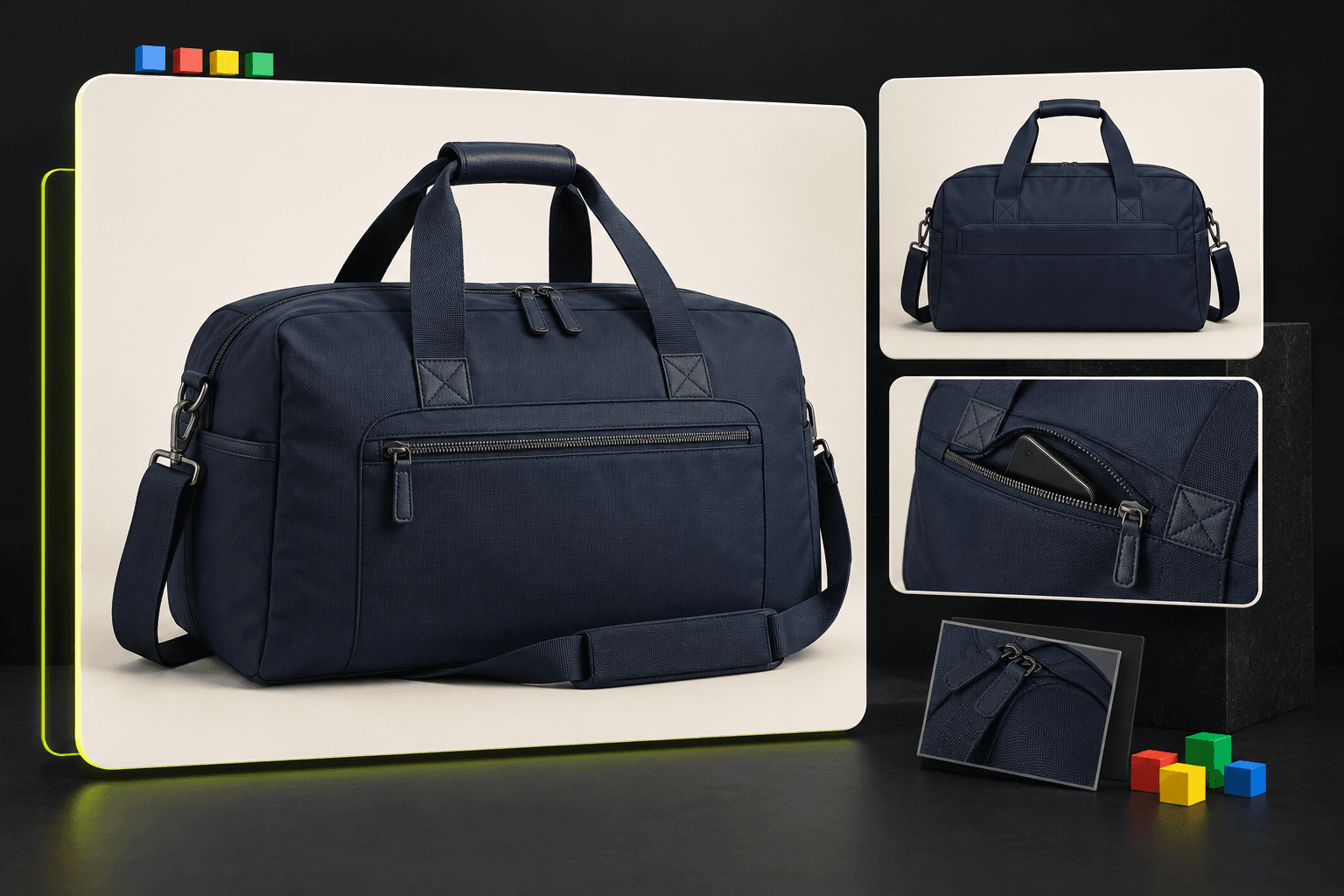
Make the exact item the subject
Begin with the item a customer will actually receive. For a navy travel bag, inspect the colour, pocket arrangement, handle shape, hardware and included strap against the real SKU. An appealing image of a similar bag is not a substitute. Keep the original reference photo and the selected product record together while reviewing variations, especially when several finishes look almost identical.
Merchant Center’s main image guidance calls for a clear view of the specific product and rejects promotional overlays and misleading stand-ins. Preserve genuine markings physically present on the product while keeping added prices, sale badges and retailer watermarks out of the main image. Check category-specific exceptions in the official guidance before assuming a social-ad treatment belongs in a Shopping listing.
Separate the main image from supporting views
A practical starting brief is: show the complete navy bag on a restrained light background, preserve every visible construction detail, and include no props that could be mistaken for part of the purchase. This is a creative brief, not a claim that every Merchant category mandates the same background. Keep a dramatic campaign scene separate from the main product-view decision.
Use additional views to answer specific questions: the bag from behind, the actual pocket opening, or an accurately represented wearing position. Google provides separate additional-image and lifestyle-image attributes. Assign each approved file a role in your feed rather than replacing every field with the same dramatic composition. For each colour or finish, check that the visual and linked landing page refer to that particular option.
- Review the whole product at small size, then inspect construction and markings at full size.
- Keep each variant’s approved files linked to its own product record.
- Retain the original file alongside edited exports so changes can be traced during review.
Check technical delivery and AI-source metadata
Aspect ratio alone does not establish submission readiness. Check the current image_link specification for file type, pixel dimensions and file-size limits, then inspect the actual exported file. Publish approved images on stable, crawlable store URLs. A private studio preview or expiring signed download link is intended for your workspace, not a permanent product-feed image address.
Google’s current guidance requires images created with generative AI to contain metadata identifying that origin, and says to preserve existing source tags. It cites the IPTC DigitalSourceType property and TrainedAlgorithmicMedia value as an example. Check the delivered file and the final store-served version with appropriate metadata tooling; an editing or optimisation step can strip information. AI Campaign Studio does not currently rewrite or certify Merchant-specific IPTC metadata, so this needs a separate verified publishing step.
Review the image in the listing context
Before updating a live item, compare its image, title, variant, availability and destination page as one unit. Open the product link as a new visitor and confirm that the advertised option is selected. Inspect a phone crop as well as a desktop view: the important detail should remain understandable when the presentation changes. Keep the store’s truthful product information as the reference for approval.
The studio can help produce reference-led drafts and a Product set with distinct compositions, including a square product-page preset. That preset is not a Google compliance certificate. Choose and download approved work, verify its provenance metadata, host it through your store, update the correct Merchant attributes and review reported item issues there. Keep a record of which file changed so later performance comparisons describe the real update. Neither generation nor a clean-looking background guarantees listing approval or more sales.
Sources & further reading
- Merchant Center: main image requirements and AI metadata ↗
- Merchant Center: additional product images ↗
- Merchant Center: lifestyle image guidance ↗
- Merchant Center: product landing-page requirements ↗
Product documentation can change. Check current provider controls and terms before production.